At times you may find you are required to brush up on company policies, or acknowledge the newly updated version of an older policy.
These can be issued to you by the Administration team, and will send notifications to your dashboard when you are required to acknowledge that you have read and understood the policy information.
To be redirected to the App instructions;
There are several places to keep track of policies on your Employee Hub. These are:
Using each of these sections, you can be certain that you're up to date and in the know when a new company policy is released or updated.
Company Policies Widget
The company policies widget will display the policies that your company has deemed to be integral to your being able to work within the environment, or complete your tasks in accordance with their guidelines.
Policies that have been included on this widget can be accessed by clicking on any of the document names in order to open the policy document itself.
Unread Policies Widget
When you are issued a policy document to acknowledge, the software will notify you when logged in by adding the policy to the unread policies widget count.
To view your unread policies, select this widget in order to be redirected to;
Menu Navigation
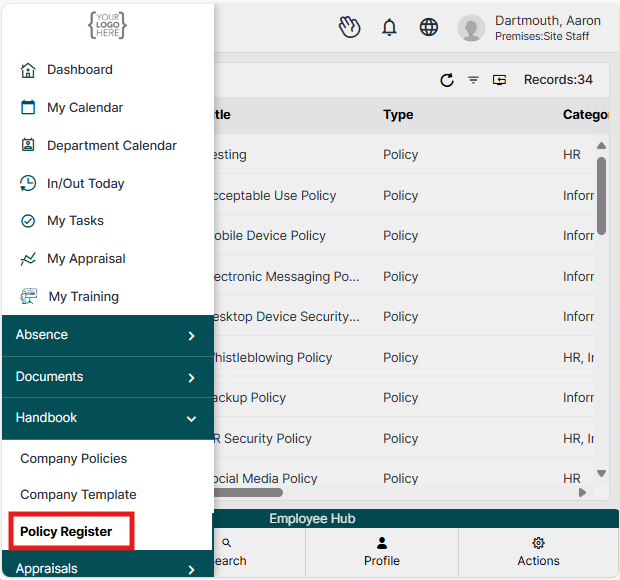
To the left of the screen, you can access the above options by selecting the Handbook menu to reveal the Company Policies, Company Template and Policy Register views.
Company Policies
On the Company Policies view, you'll be able to select any of the handbook policies visible to you in order to read the details.
*Any marked by a grey banner across the top can be read, but do not have to be acknowledged.
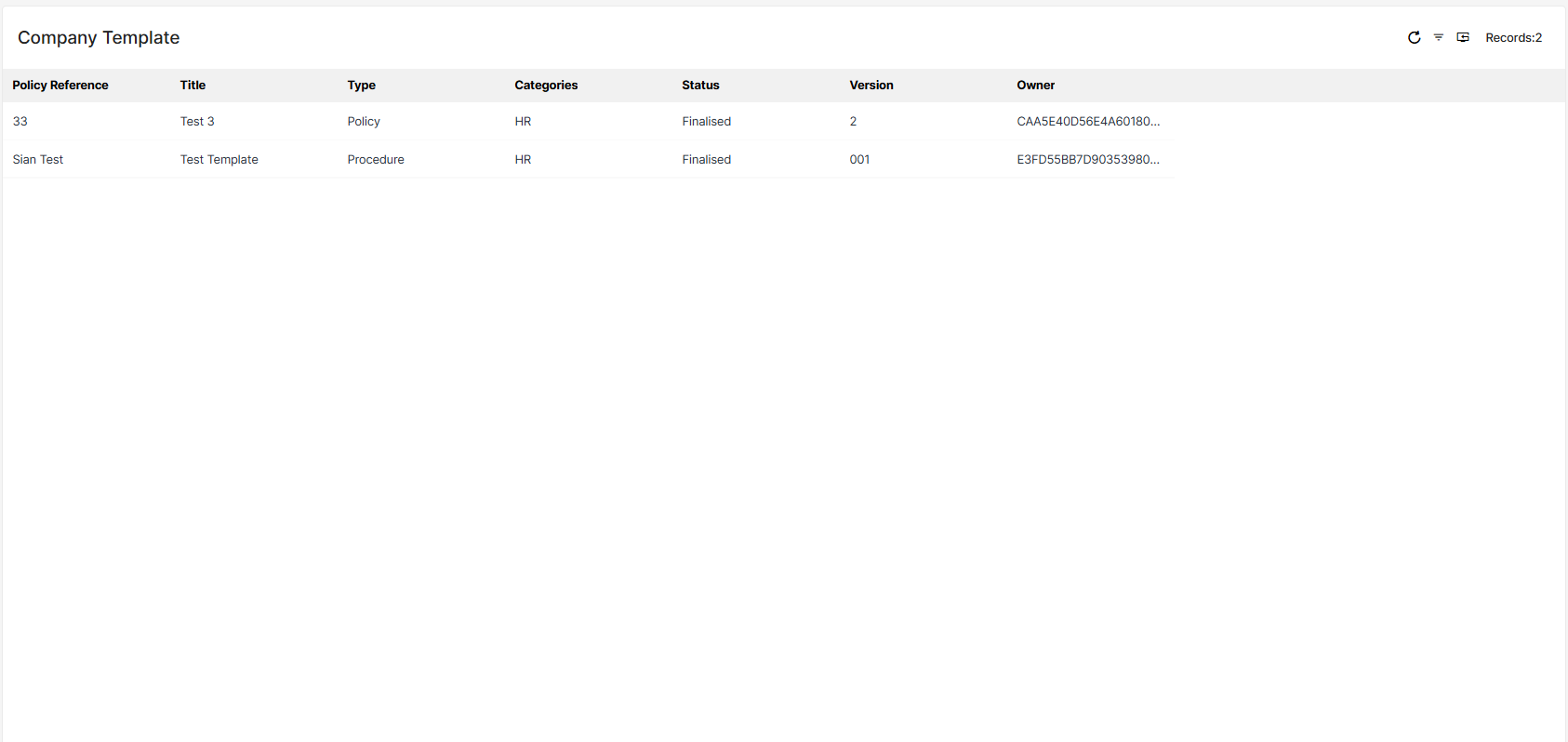
Company Templates
The company templates view will provide you with a library of approved company templates; these can be download for you to amend any of the details/missing fields in order to send out to a customer/client etc.
Policy Register
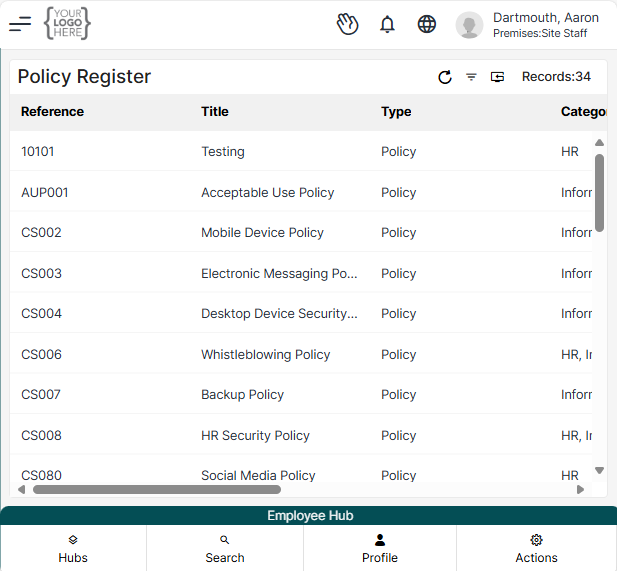
The Policy Register section will hold the same information as the Company Policies, however the information will be displayed in a list format, instead of the tiles shown previously.

Mobile App Instructions:
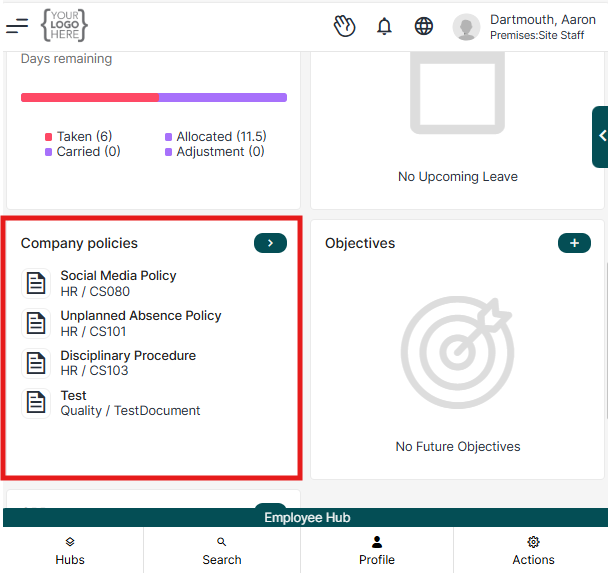
The company policies widget will display the policies that your company has deemed to be integral to your being able to work within the environment, or complete your tasks in accordance with their guidelines.
Policies that have been included on this widget can be accessed by clicking on any of the document names in order to open the policy document itself.
On the Company Policies view, you'll be able to select any of the handbook policies visible to you in order to read the details.
Company policies widget;
> Select Hubs
> Select Employee Hub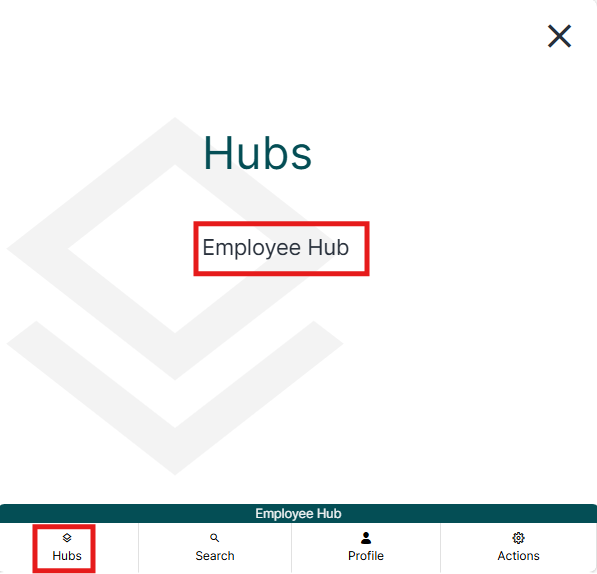
Then, locate the company policies widget:
You can also locate Company Policies by selecting the burger menu in the top left corner: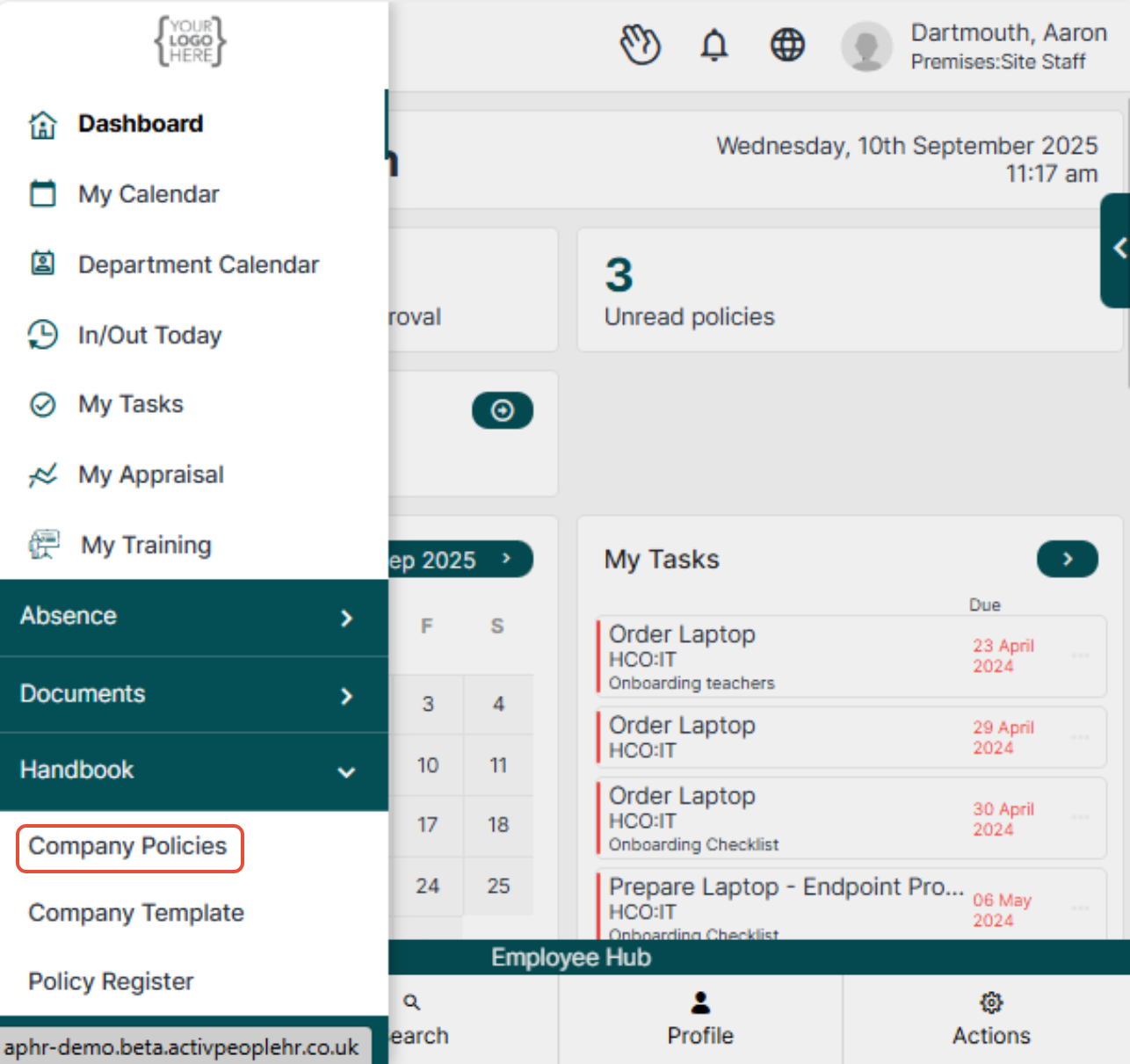
Unread Policies widget:
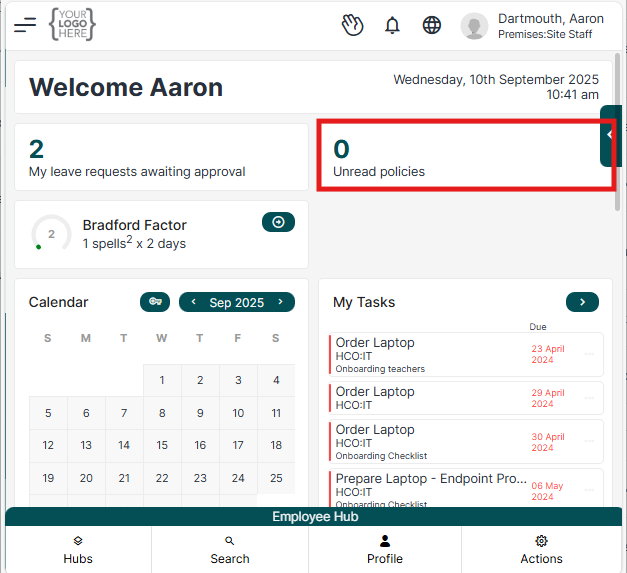
When you are issued a policy document to acknowledge, the software will notify you when logged in by adding the policy to the unread policies widget count.
To view your unread policies, select this widget in order to be redirected to;
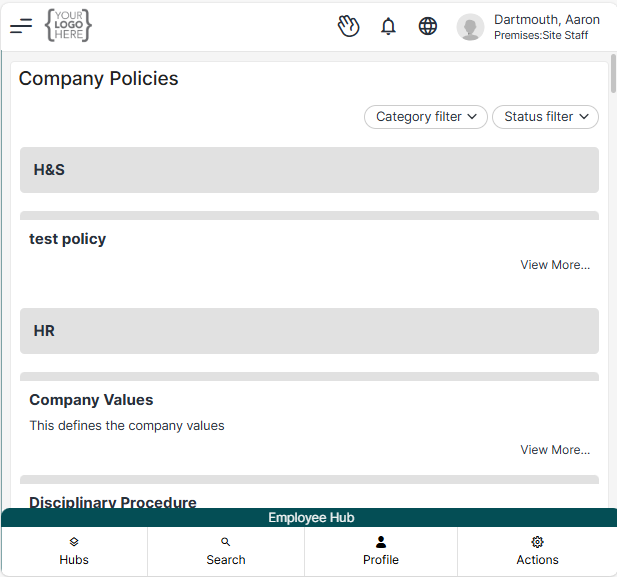
*Any marked by a grey banner across the top can be read, but do not have to be acknowledged.
Company Templates:
The company templates view will provide you with a library of approved company templates; these can be download for you to amend any of the details/missing fields in order to send out to a customer/client etc.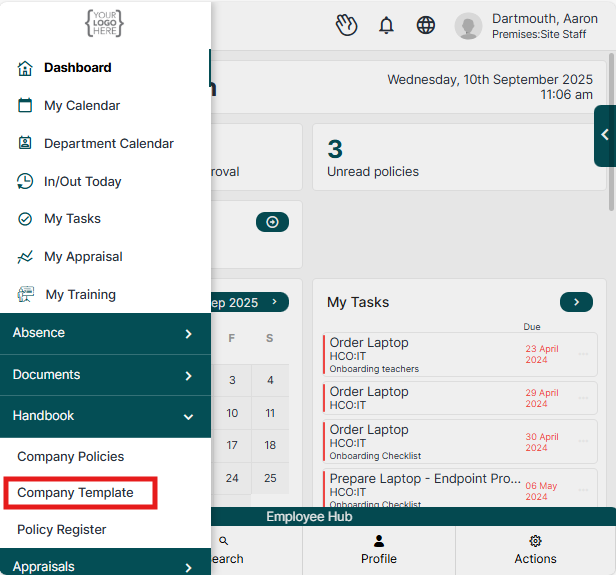
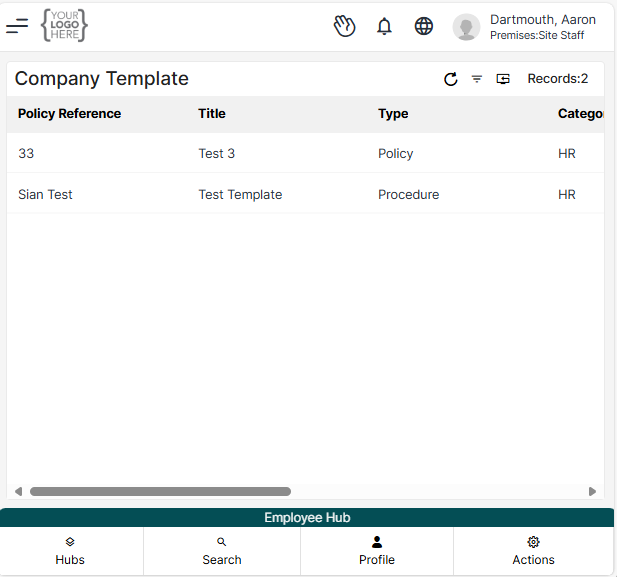
Policy Register;
The Policy Register section will hold the same information as the Company Policies, however the information will be displayed in a list format, instead of the tiles shown previously.


Was this article helpful?
That’s Great!
Thank you for your feedback
Sorry! We couldn't be helpful
Thank you for your feedback
Feedback sent
We appreciate your effort and will try to fix the article