1. Check Employee Profile Settings
Open the employee profile and go to Employee Details > Employee tab.
Scroll to the bottom left of the profile.
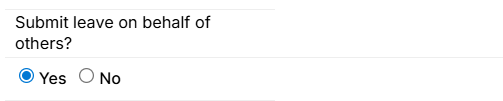
Ensure the setting 'Can submit leave on behalf of others' is set to Yes.
2. Verify Security Role Settings
Security roles also control access to this feature.
Because security roles can be complex, contact Support before making any changes.
3. Submit the Leave Request
Select Request Leave.

In the Name field, remove your own name.
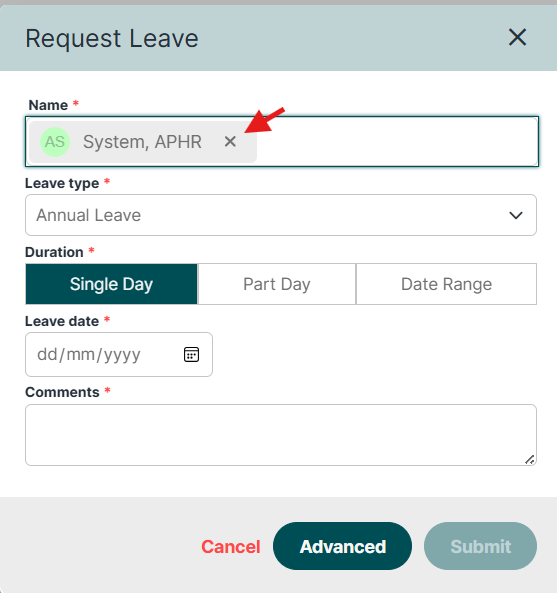
Select the name of the employee you’re submitting leave for.
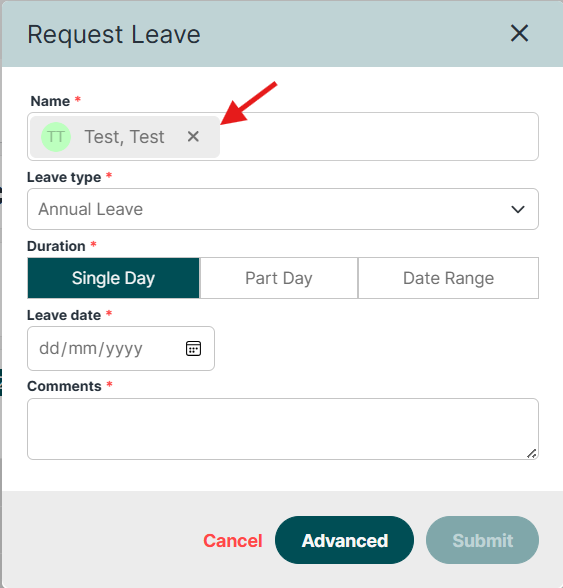
Choose the Leave Type, Date, and add Comments if required.
Click Submit.
Was this article helpful?
That’s Great!
Thank you for your feedback
Sorry! We couldn't be helpful
Thank you for your feedback
Feedback sent
We appreciate your effort and will try to fix the article