Once the employee has submitted their Self-Certification, you will see that there is a Return to Work Outstanding in the widget on The Manager Hub:
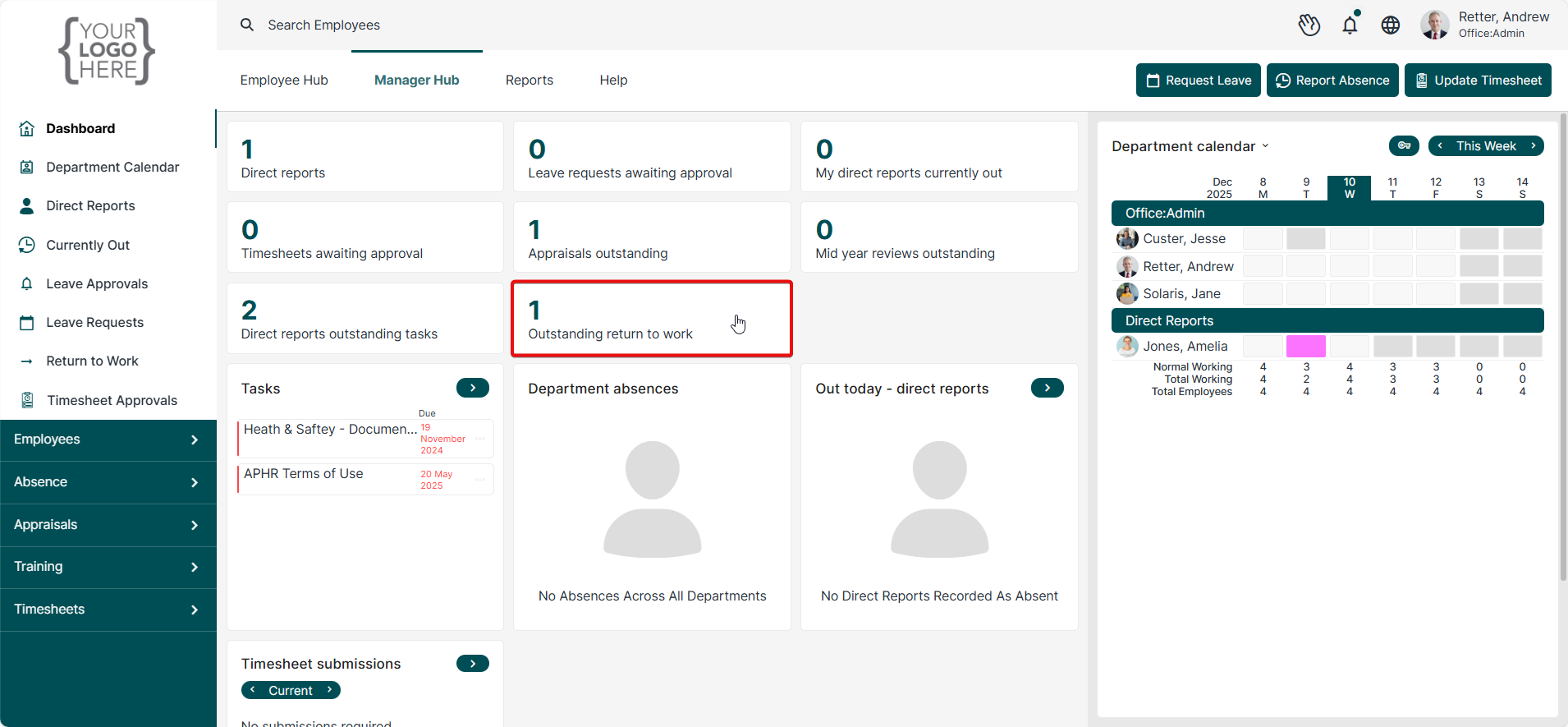
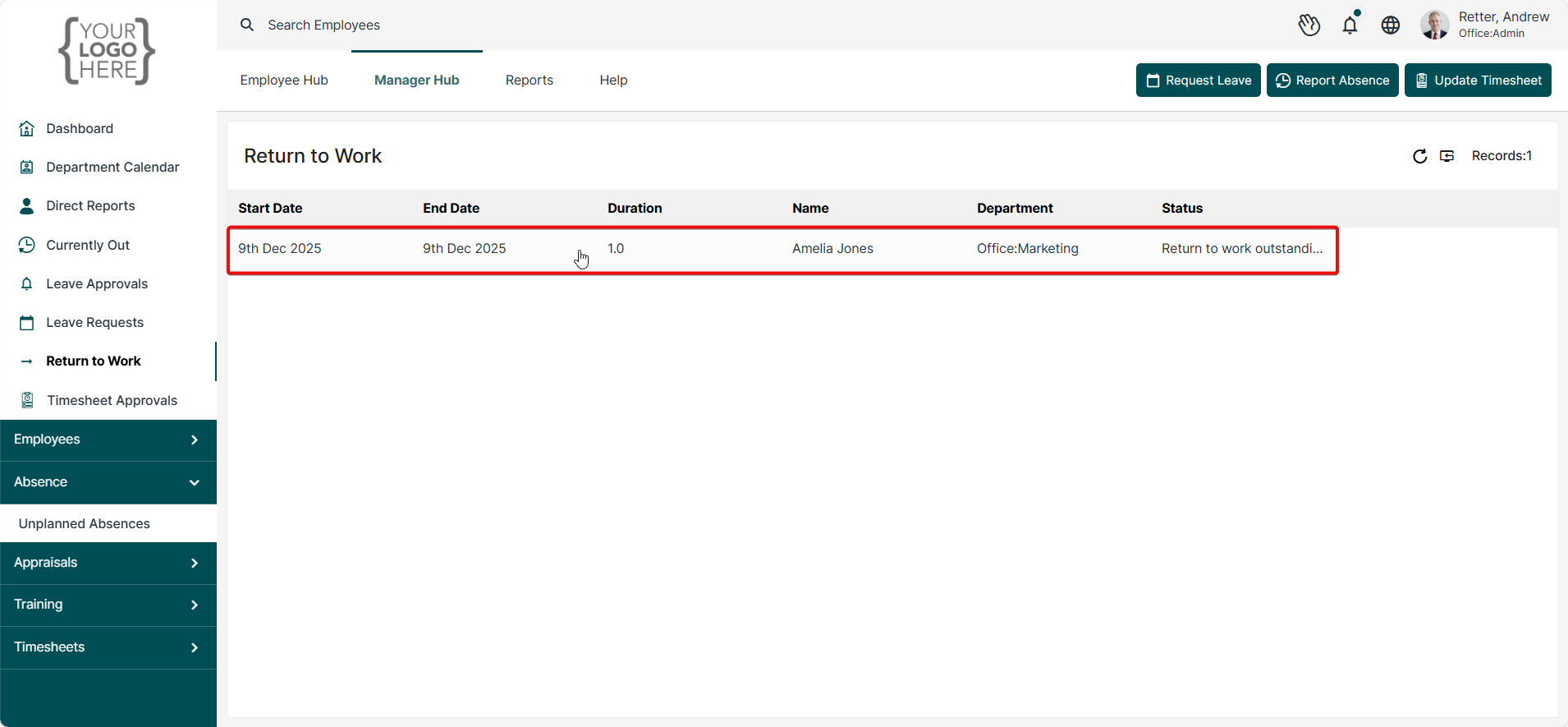
Select this and then select the relevant Absence record:
Review the Self-Certification and then access the Return to Work portion of the form:
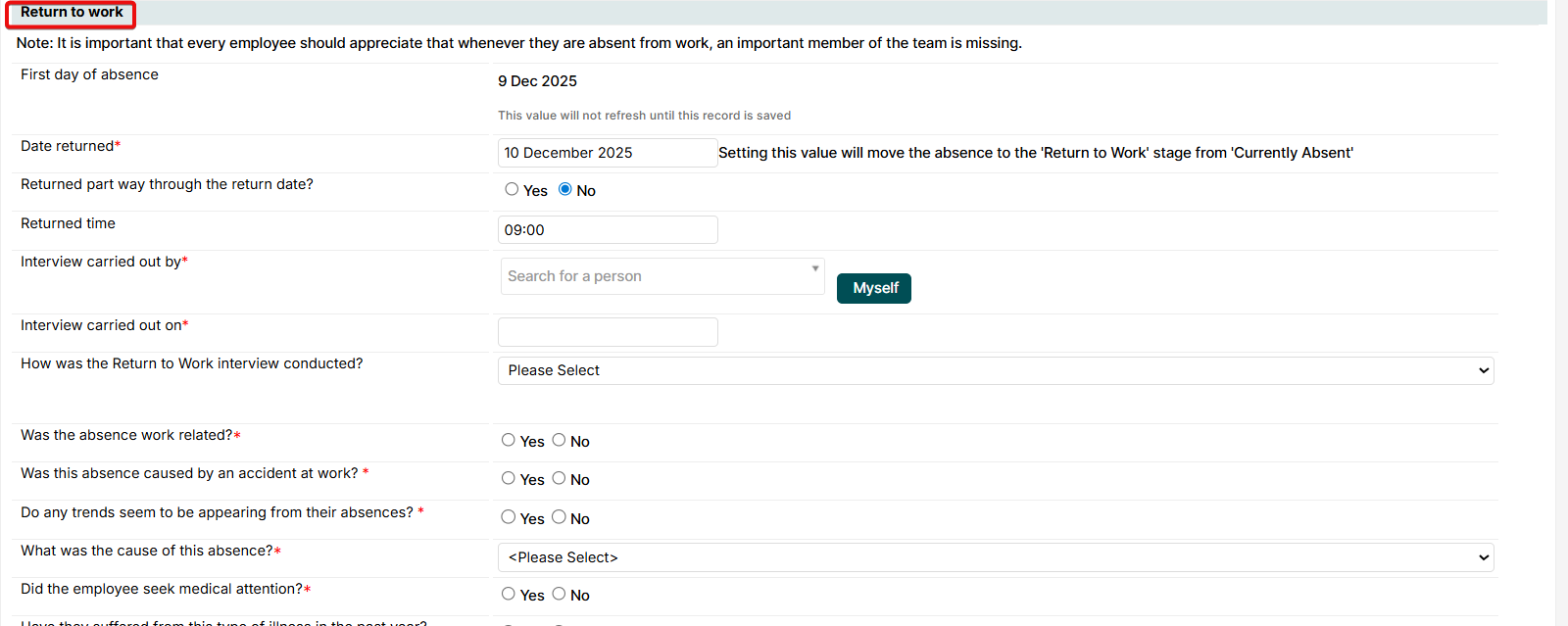
Once completed, select 'Acknowledge' to add your electronic signature. Then select 'Save'.

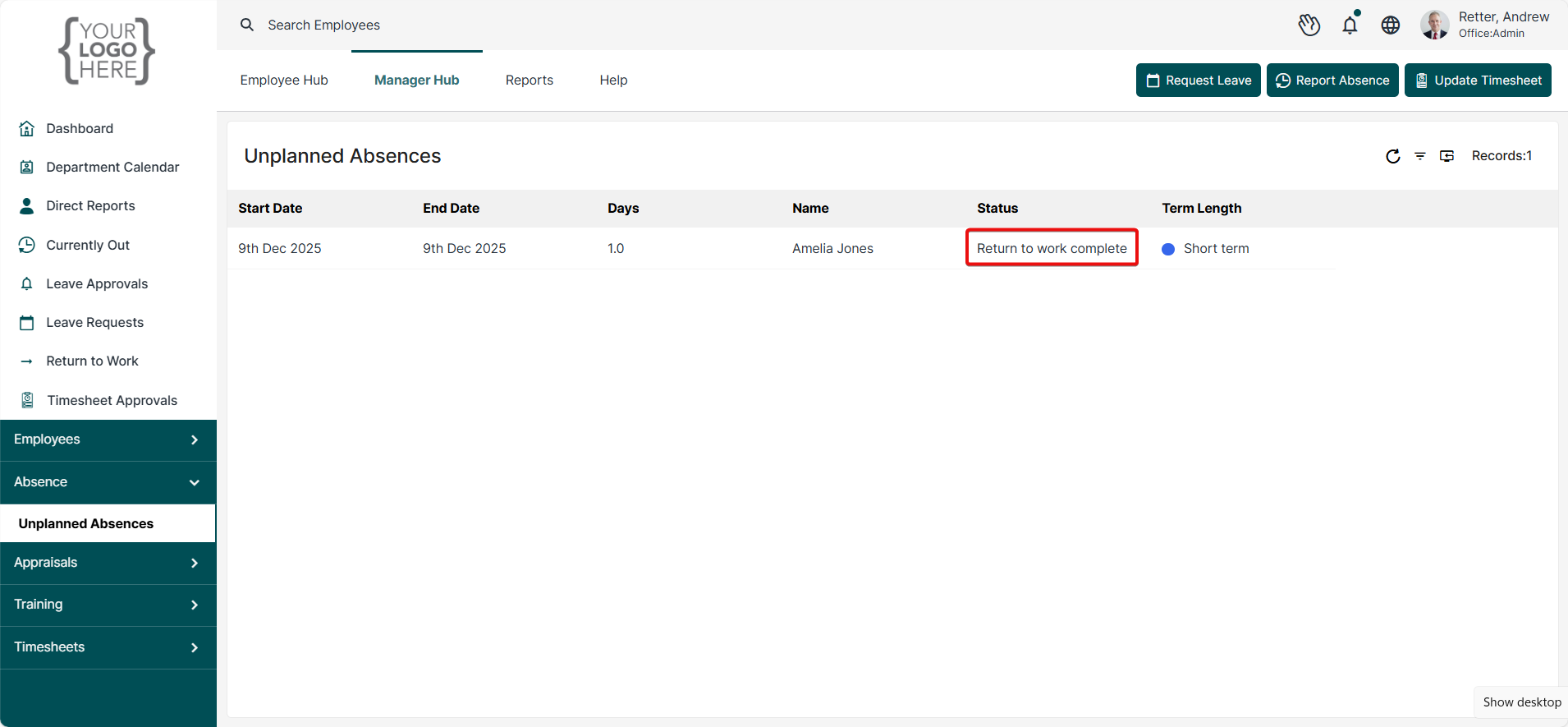
The absence status will now display as 'Return to Work Complete'.
Was this article helpful?
That’s Great!
Thank you for your feedback
Sorry! We couldn't be helpful
Thank you for your feedback
Feedback sent
We appreciate your effort and will try to fix the article