The Roles section allows administrators to create and maintain a list of job roles used throughout the system. These roles can then be assigned to employees to help categorise positions, support reporting, and track role-specific training, qualifications, and skills requirements.
Typical examples of roles within an HR organisation include:
- HR Administrator
- HR Advisor
- Senior HR Advisor
- HR Manager
- Recruitment Consultant
- Learning and Development Coordinator
- Payroll Administrator
- Employee Relations Specialist
Adding a New Role
- Navigate to Administration > Training > Roles.
- Select the Add icon (+) in the top-right corner of the Roles page.
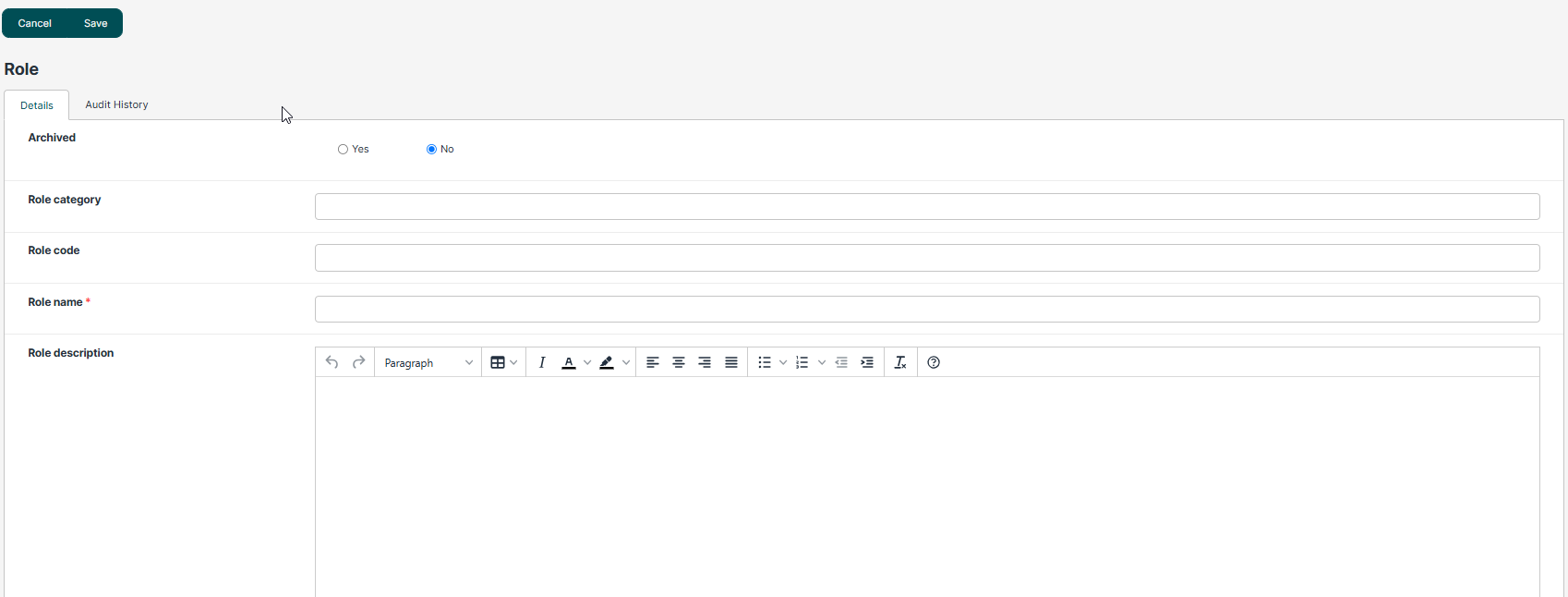
- Enter the role name in the required field.
- Complete any additional information, if applicable.
- Select Save to add the role to the system.
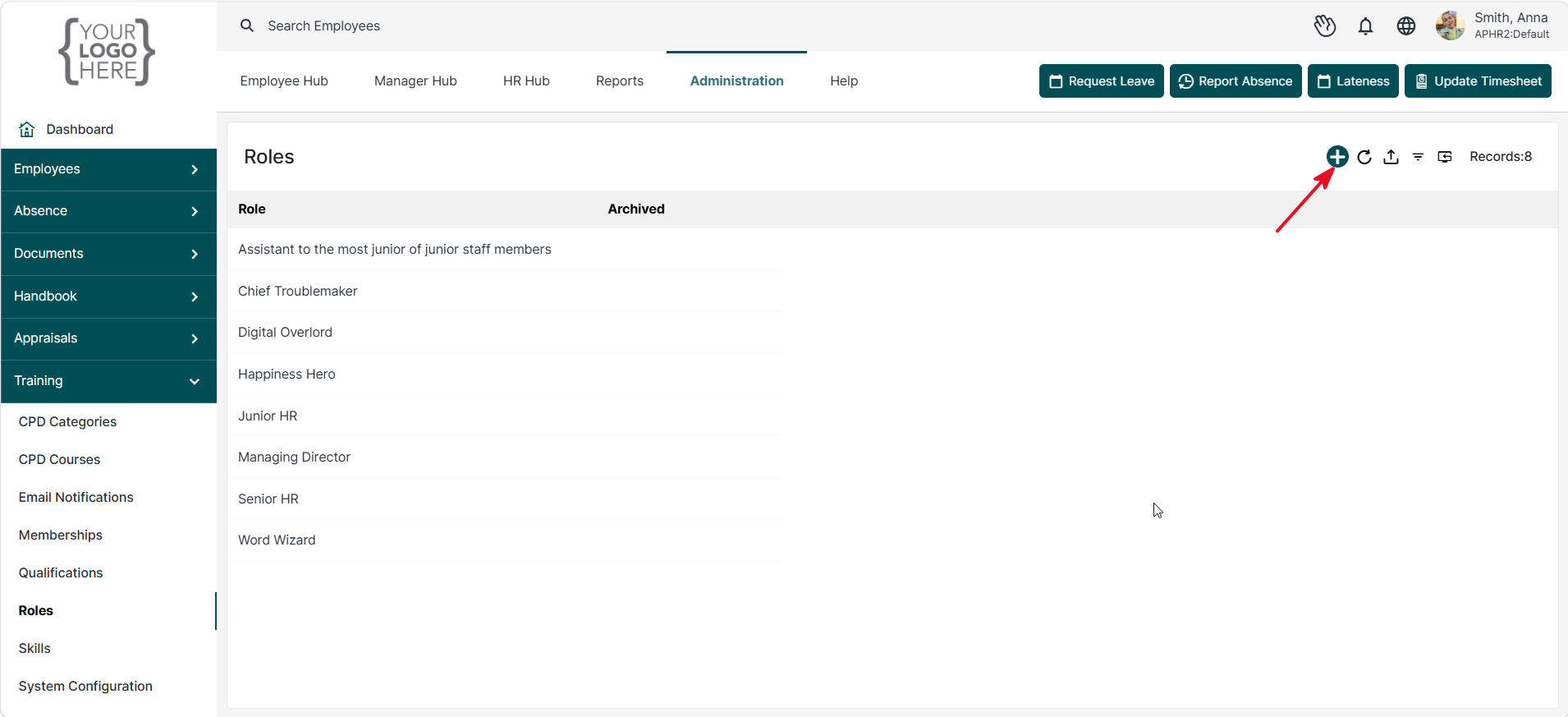
Managing Existing Roles
- Existing roles are displayed in the Roles list.
- Select a role to view or edit its details.
- Make the required changes and save to update the record.
- If a role is no longer required, it can be archived to prevent future use while retaining historical employee records.
Archiving a Role
- Open the role you wish to archive.
- Enable the Archived option.
- Save the record.
Archived roles remain available for historical reporting purposes but will no longer be available for selection when assigning roles to employees.
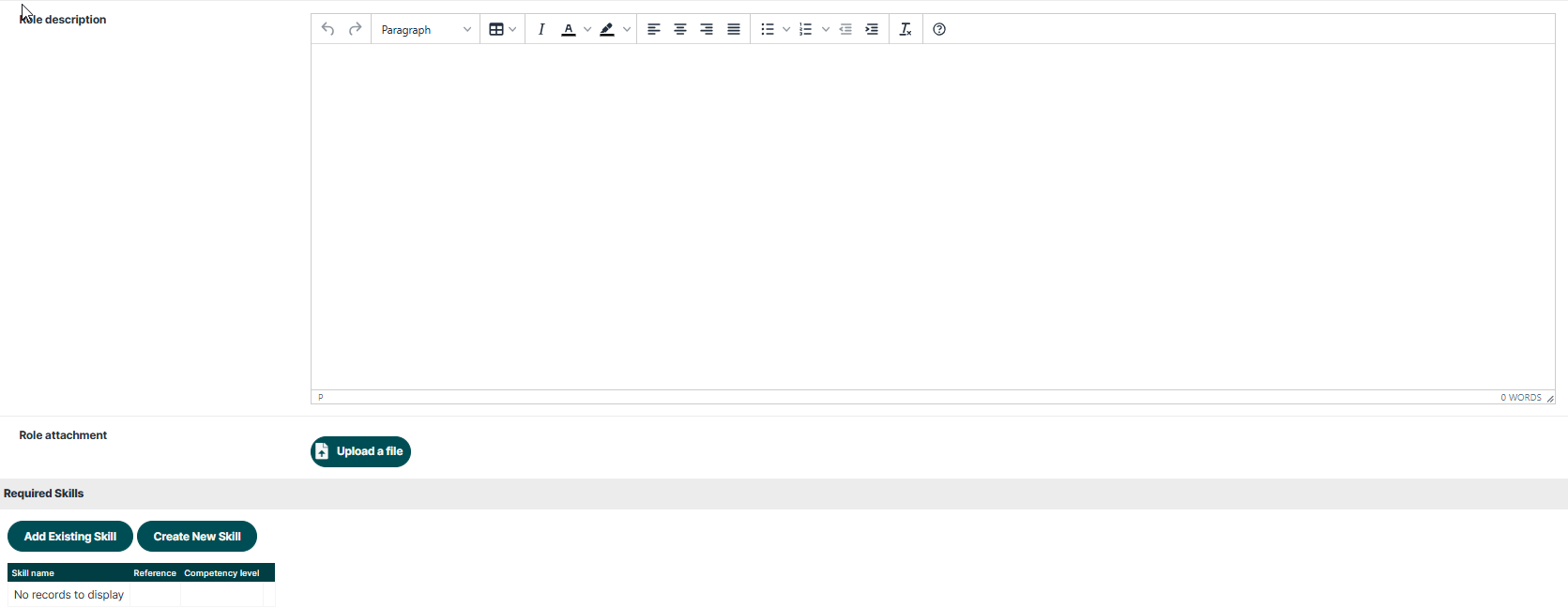
You can also upload Attachments and Add Existing/New Skills that are required for this role.
Was this article helpful?
That’s Great!
Thank you for your feedback
Sorry! We couldn't be helpful
Thank you for your feedback
Feedback sent
We appreciate your effort and will try to fix the article