Delegate Approvers can be assigned to ensure that important notifications are shared with an alternate approver when required.
The Delegate Approver is an alternate person assigned to receive leave and absence notifications on behalf of a primary approver (usually a line manager). This functionality ensures continuity in approval workflows, especially when the primary approver is unavailable due to leave, travel, or other commitments.
Delegate Approvers receive the same email notifications as the primary approver, ensuring they are informed and can take timely action.
Assigning a Delegate Approver to an employee's profile can be done by following the below steps:
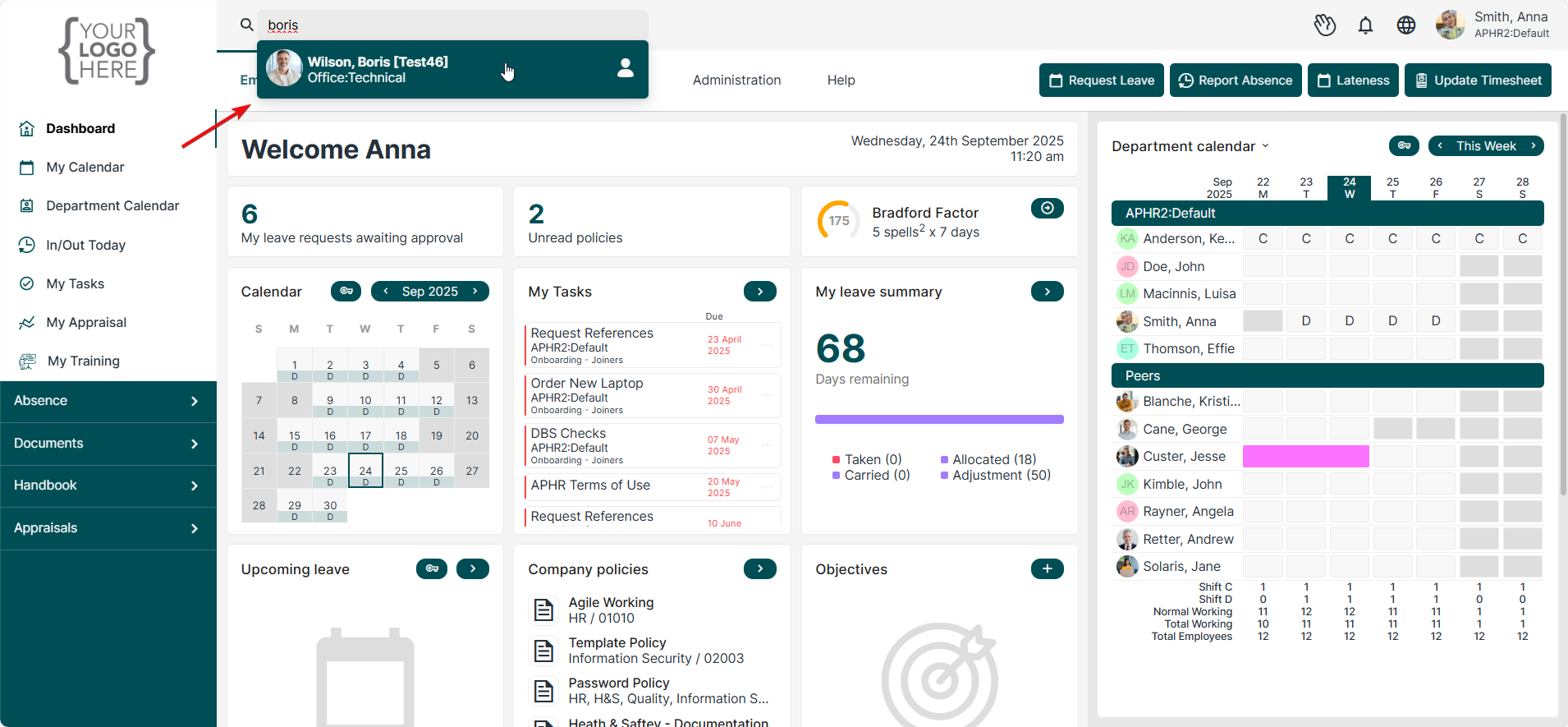
1. Search for the employee using the Search Employee feature
2. Select their name from the drop-down menu to open their profile
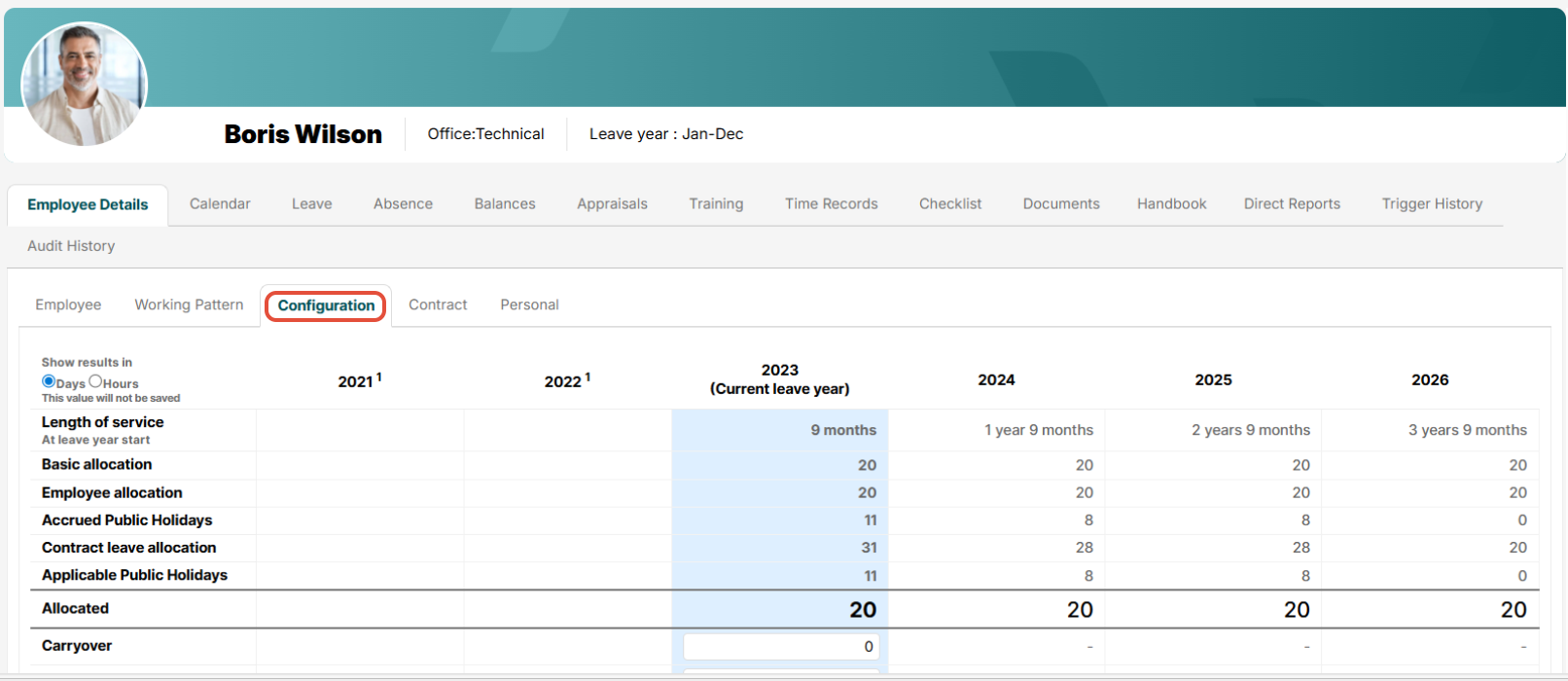
Once within the employee's profile locate the Configuration tab:
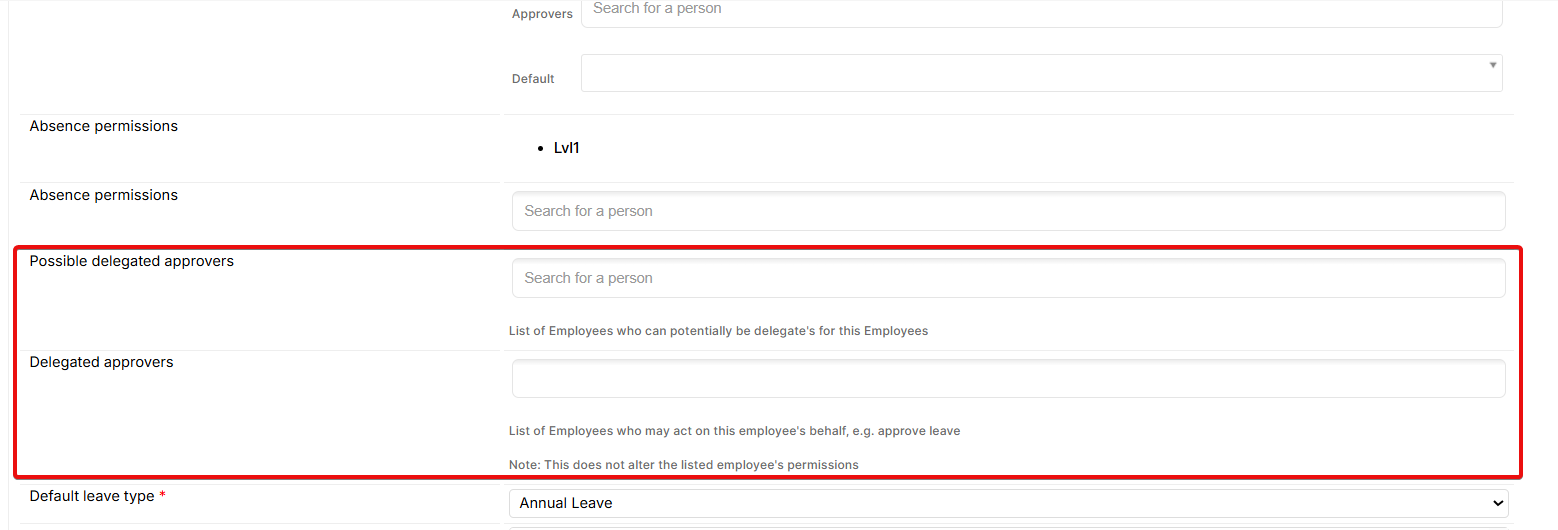
Once within the Configuration tab, towards the bottom of the page locate two fields 'Possible Delegate Approvers' and 'Delegate Approvers'. First, input the name of the desired Delegate Approver within the Possible Delegate Approver field. Following this, that employee will then be available to select within the Delegate Approver field.
- Possible Delegate Approvers: A list of users eligible to act as delegates.
- Delegate Approvers: The selected individual(s) who will actively receive notifications and have approval rights.
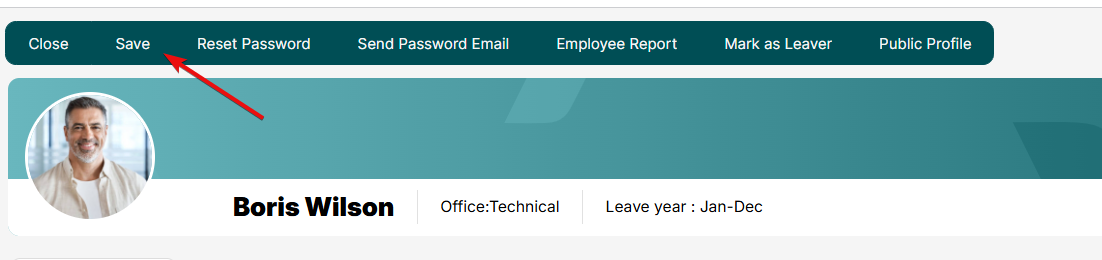
Once the desired Delegate Approver's name has been listed in both the Possible Delegate Approver and Delegate Approver fields, click Save at the top of the profile to submit the changes.
Once the changes have been submitted, moving forward any email notification that the employee/manager receives will also be sent to their Delegate Approver.


Was this article helpful?
That’s Great!
Thank you for your feedback
Sorry! We couldn't be helpful
Thank you for your feedback
Feedback sent
We appreciate your effort and will try to fix the article